
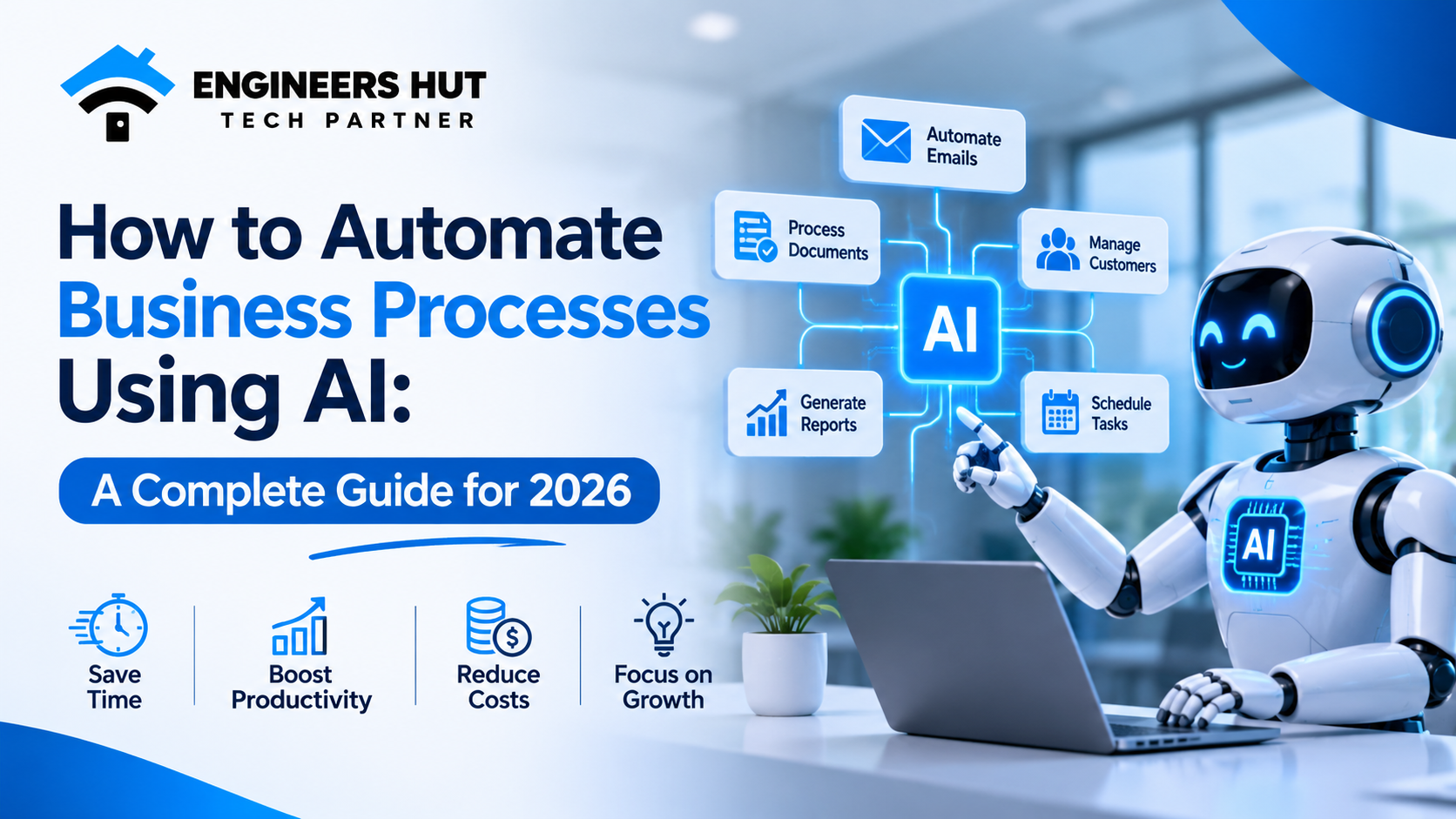
How to Automate Business Processes Using AI: A Complete Guide for 2026
Businesses in 2026 are no longer asking whether they should use Artificial Intelligence. They are asking how they can use it to save time, reduce operational costs, and work smarter.
Think about how much time your team spends answering emails, updating spreadsheets, managing customer inquiries, processing documents, preparing reports, and performing repetitive administrative tasks.
What if many of these activities could happen automatically?
That's where AI business process automation comes in.
Artificial Intelligence is changing the way businesses operate by helping organizations automate repetitive tasks, analyze information, make better decisions, and improve everyday workflows. From small businesses to large enterprises, AI-powered automation is becoming an important part of digital transformation.
In this guide, we'll explore what AI business process automation is, how it works, where businesses can use it, its benefits, implementation steps, and how to choose the right automation solution.
What Is AI Business Process Automation?
AI business process automation is the use of Artificial Intelligence technologies to automate business activities that traditionally require manual effort.
Unlike traditional automation, which follows predefined rules, AI-powered systems can understand information, recognize patterns, process natural language, and make decisions based on available data.
For example, traditional automation can send an email whenever a customer submits a form. AI-powered automation can go further by understanding the customer's message, identifying their requirements, preparing a relevant response, and directing the inquiry to the appropriate department.
AI automation commonly combines technologies such as:
- Machine Learning: Identifies patterns and learns from historical data.
- Natural Language Processing (NLP): Understands and processes human language.
- Generative AI: Creates emails, reports, summaries, and other content.
- AI Agents: Perform multi-step tasks using tools and business systems.
- Robotic Process Automation (RPA): Automates repetitive actions across software applications.
- Intelligent Document Processing: Extracts and organizes information from invoices, forms, and documents.
Together, these technologies help businesses build smarter and more efficient workflows.
Why Is AI Automation Important for Businesses in 2026?
Modern businesses deal with increasing amounts of information, customer expectations, and operational responsibilities.
Managing everything manually can slow down productivity and create unnecessary costs.
AI automation helps businesses address these challenges by making everyday operations faster and more organized.
Here are some important reasons why businesses are adopting AI automation:
1. Reduces Repetitive Work
Employees often spend hours completing routine activities. AI can handle many repetitive tasks, allowing teams to focus on more valuable responsibilities.
2. Improves Operational Efficiency
Automated workflows can move information between departments and applications without requiring constant manual intervention.
3. Supports Faster Decisions
AI can analyze large amounts of business information and generate useful insights that help management make informed decisions.
4. Improves Customer Experience
AI-powered chatbots and automated support systems can respond to common customer questions and help route complex inquiries to human employees.
5. Helps Businesses Scale
As a company grows, its operational workload increases. Automation helps manage higher workloads without requiring every process to expand at the same rate.
10 Business Processes You Can Automate Using AI
AI automation can be applied across almost every department. However, the best starting point is usually a process that is repetitive, time-consuming, and follows a reasonably clear workflow.
Here are ten practical examples.
1. Customer Support and Communication
Customer support teams receive similar questions every day.
AI-powered chatbots can understand customer queries, provide relevant answers, collect important information, and direct complicated issues to human support representatives.
Businesses can automate:
- Frequently asked questions.
- Initial customer inquiries.
- Support ticket categorization.
- Customer feedback collection.
- Follow-up messages.
- Basic troubleshooting assistance.
This helps businesses respond more consistently while allowing support teams to focus on complex customer problems.
2. Email Management and Follow-Ups
Managing hundreds of emails can become difficult, especially for sales and customer service teams.
AI can classify incoming emails, identify important messages, summarize conversations, draft replies, and suggest follow-up actions.
For example, when a potential customer sends an inquiry, an AI workflow can identify the customer's requirements, categorize the lead, and prepare a personalized response for employee approval.
3. Invoice and Document Processing
Manual document processing often involves repetitive data entry and verification.
AI-powered document processing can extract information from invoices, purchase orders, receipts, and application forms.
A typical workflow includes:
- Receive a document.
- Extract relevant information.
- Identify important fields.
- Validate the extracted data.
- Send the information to accounting or business software.
- Flag missing or inconsistent information for review.
This reduces manual data entry and helps businesses organize documents more efficiently.
4. Sales and Lead Management
Sales teams need to manage leads, track conversations, schedule meetings, and follow up with potential customers.
AI automation can help with:
- Capturing leads from websites.
- Categorizing inquiries.
- Summarizing customer conversations.
- Updating CRM records.
- Preparing personalized follow-up messages.
- Identifying leads that need attention.
For example, an AI-powered CRM workflow can analyze an incoming inquiry and organize it according to the customer's requirements, budget, and service interest.
Important sales decisions should still involve human judgment.
5. Marketing and Content Workflows
Marketing teams regularly handle content planning, campaign reporting, audience analysis, and customer communication.
AI can support these activities by:
- Generating initial content drafts.
- Organizing content ideas.
- Summarizing campaign performance.
- Categorizing customer feedback.
- Preparing email campaign variations.
- Analyzing audience engagement patterns.
AI-generated content should always be reviewed for accuracy, brand consistency, and originality before publication.
6. HR and Employee Management
Human resource departments manage recruitment, attendance, leave requests, employee records, and internal communication.
AI-powered HR automation can simplify several activities.
Examples include:
- Organizing job applications.
- Extracting information from resumes.
- Answering common employee questions.
- Managing leave request workflows.
- Preparing attendance summaries.
- Generating HR reports.
For sensitive decisions such as candidate selection, performance evaluation, and employee management, human oversight is essential.
7. Inventory and Order Management
Businesses that manage products and inventory can use AI to improve operational visibility.
AI-powered systems can analyze sales patterns, monitor stock levels, identify unusual demand changes, and generate replenishment recommendations.
Automation can also connect order management, inventory databases, and customer notifications.
For example, when an order is placed, the system can update inventory, generate an order confirmation, and notify the relevant team.
8. Financial Reporting and Data Analysis
Preparing business reports manually can consume significant employee time.
AI can help collect information from connected systems, summarize financial data, identify unusual patterns, and prepare reports.
Common applications include:
- Expense categorization.
- Invoice summaries.
- Revenue reporting.
- Budget monitoring.
- Transaction anomaly detection.
- Financial dashboard summaries.
AI-generated financial insights should be reviewed before they are used for important financial decisions.
9. Appointment Scheduling and Task Management
Businesses that depend on appointments, meetings, and service bookings can benefit from automated scheduling.
AI-powered systems can understand scheduling requests, check connected calendar availability, suggest suitable time slots, and send confirmations.
They can also generate reminders and notify employees about upcoming tasks.
This is particularly useful for consulting companies, healthcare administration, service businesses, and customer-facing organizations.
10. Internal Business Operations
Many business activities happen behind the scenes.
For example, employees may need to request approvals, submit expenses, assign tasks, update project statuses, or share information between departments.
AI-powered workflows can help automate these processes by:
- Assigning tasks based on predefined conditions.
- Summarizing project updates.
- Sending approval notifications.
- Organizing internal requests.
- Generating operational reports.
- Identifying delayed tasks.
The result is a more connected and organized working environment.
How to Implement AI Business Process Automation: Step-by-Step
Adopting AI automation does not mean changing every business process at once.
A successful implementation starts with understanding existing workflows and identifying where automation can deliver measurable value.
Here is a practical approach.
Step 1: Identify Repetitive Business Tasks
Start by reviewing your daily operations.
Identify tasks that:
- Consume significant employee time.
- Involve repetitive data entry.
- Follow predictable workflows.
- Require information from multiple systems.
- Frequently experience delays or human errors.
Create a list of potential automation opportunities and prioritize them according to business impact.
Step 2: Define Clear Business Goals
Before implementing AI, determine what you want to achieve.
Your goals could include:
- Reducing manual administrative work.
- Improving customer response times.
- Increasing employee productivity.
- Improving data accuracy.
- Simplifying document processing.
- Making business information easier to access.
Clear goals help you measure whether your automation project is delivering real value.
Step 3: Choose the Right AI Technologies
Different business processes require different technologies.
For example:
- Chatbots for customer communication.
- Machine learning for forecasting and classification.
- Large Language Models for understanding and generating text.
- AI agents for multi-step workflows.
- RPA for repetitive software interactions.
- Document AI for extracting information from files.
The best solution depends on your business requirements, existing software, data quality, and budget.
Step 4: Connect Your Existing Business Systems
AI automation becomes more useful when it can communicate with the tools your business already uses.
Depending on your requirements, integrations may include:
- CRM platforms.
- ERP systems.
- Accounting software.
- HR management systems.
- Email services.
- Payment gateways.
- Internal databases.
- Business management applications.
APIs and secure integrations help different systems exchange information and execute automated workflows.
Step 5: Start With a Small Automation Project
Avoid automating every department immediately.
Choose one well-defined process and implement a pilot project.
For example, you could begin with automated lead collection and categorization.
Measure the results, collect employee feedback, identify problems, and improve the workflow before expanding automation.
Step 6: Test Accuracy, Security, and Reliability
AI systems can make mistakes, misunderstand instructions, or produce incorrect information.
Before deploying automation, test:
- Data accuracy.
- Workflow execution.
- Access permissions.
- Integration reliability.
- Error handling.
- Data privacy.
- Human approval requirements.
Make sure sensitive operations include appropriate review and approval mechanisms.
Step 7: Monitor and Improve Performance
AI automation requires continuous monitoring.
Track useful performance indicators such as:
- Time saved per task.
- Number of successfully automated workflows.
- Error and exception rates.
- Customer response time.
- Employee productivity.
- Cost per completed process.
Use these results to improve prompts, integrations, workflow rules, and system performance.
Traditional Automation vs AI Automation
Both approaches can improve business efficiency, but they work differently.
FeatureTraditional AutomationAI Automation
Working method
Predefined rules
AI-assisted decisions and rules
Data handling
Structured data
Structured and unstructured data
Language understanding
Limited
Natural language processing
Adaptability
Usually requires rule updates
Can adapt within trained or configured capabilities
Content generation
Not typically included
Can generate text and summaries
Decision support
Rule-based
Contextual analysis and recommendations
Best use case
Predictable repetitive tasks
Complex information-based workflows
Traditional automation is still valuable. In many cases, combining traditional workflow automation with AI produces the most reliable and cost-effective solution.
What Are the Challenges of AI Business Automation?
Although AI automation offers many advantages, businesses should understand its limitations before implementation.
1. Data Quality
AI systems depend on the information they receive. Inaccurate, outdated, or incomplete data can produce unreliable results.
2. Integration Complexity
Connecting AI solutions with existing business applications may require custom development, API integrations, and database modifications.
3. Data Privacy and Security
Businesses must protect customer information, employee records, financial data, and confidential documents.
Access controls, encryption, secure integrations, and appropriate data retention policies are important.
4. Implementation Costs
AI automation requires planning, development, testing, infrastructure, and ongoing maintenance.
Businesses should evaluate the expected benefits rather than choosing a solution simply because it uses AI.
5. Human Oversight
AI should not independently handle every business decision. Sensitive financial, legal, HR, and customer-related activities may require human approval.
A well-designed automation system combines AI capabilities with clear business rules and human supervision.
How Much Does AI Business Process Automation Cost?
There is no fixed price for AI business automation because every business has different requirements.
The overall investment depends on several factors:
- Number of workflows to automate.
- Complexity of business operations.
- AI models and third-party services.
- Existing software integrations.
- Data processing requirements.
- Security and compliance requirements.
- Custom development and maintenance.
A small AI-powered chatbot or document-processing workflow may require a relatively limited investment, while an integrated enterprise automation platform can involve a much larger development budget.
The best approach is to start with a specific business problem, estimate the expected return, and expand gradually.
The Future of AI Business Process Automation
AI automation is moving beyond simple task execution.
Businesses are increasingly exploring AI agents that can understand instructions, interact with connected tools, retrieve information, and complete multiple steps within a defined workflow.
For example, imagine a business receiving a new customer inquiry.
An AI-powered workflow could:
- Read and understand the inquiry.
- Identify the requested service.
- Check relevant business information.
- Create a lead record in the CRM.
- Prepare a personalized response.
- Notify the appropriate sales representative.
- Schedule a follow-up task.
Instead of handling every step manually, employees can supervise the process and focus on customer relationships and important decisions.
However, reliable implementation still requires permissions, workflow controls, testing, and human oversight.
The future of business automation is not simply about replacing manual tasks. It is about building connected systems that help people work more effectively.
Why Choose Custom AI Automation Solutions?
Ready-made automation tools can be useful for standard workflows. However, businesses with unique processes often need solutions that fit their specific operational requirements.
Custom AI automation can help businesses:
- Build workflows around existing business processes.
- Integrate multiple software applications.
- Develop AI-powered chatbots and assistants.
- Automate complex document workflows.
- Create intelligent business dashboards.
- Connect CRM, ERP, and HRMS platforms.
- Develop scalable AI-powered software solutions.
A custom solution gives businesses greater flexibility over functionality, integrations, permissions, and future improvements.
Conclusion
AI business process automation is becoming an important part of how modern organizations operate in 2026.
From customer support and sales management to document processing, HR operations, and financial reporting, AI can help businesses reduce repetitive work and improve operational efficiency.
However, successful automation is not about adding AI to every task. It is about identifying the right opportunities, selecting appropriate technologies, connecting existing systems, and continuously improving workflows.
Businesses that approach AI automation strategically can build more efficient operations and create better experiences for employees and customers.
Looking to automate your business processes with AI?
At Engineers Hut, we help businesses turn technology ideas into practical digital solutions through custom software development, web applications, and AI-powered solutions.
Whether you want to automate daily operations, integrate intelligent workflows, or build a custom AI-powered application, the right technology can help your business move forward.
Visit https://engineershut.com to explore how we can help you build smarter digital solutions.